3.3. Importing an existing language specification
Follow this quick start guide to import an existing Spoofax language specification into IntelliJ.
Choose Import Project from the welcome dialog, or the File → New → Project from Existing Sources… menu item, to open the Import Project dialog.
Browse to the root folder of the project, and click OK.
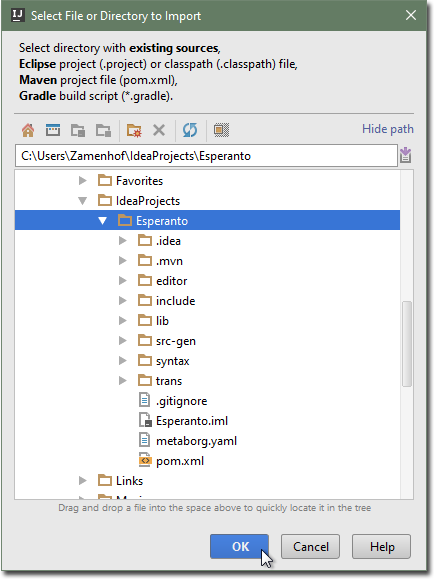 Browsing to the project
Select Create project from existing sources and click Next.
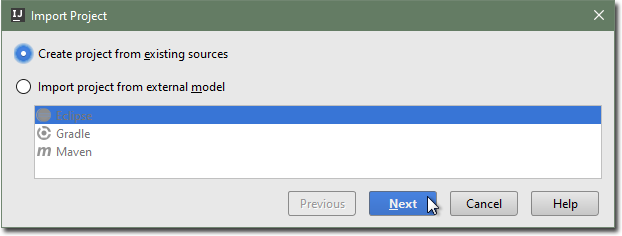 Browsing to the project
Pick a project name, and ensure the location is correct. Click Next.
Ensure only the Spoofax module root is checked.
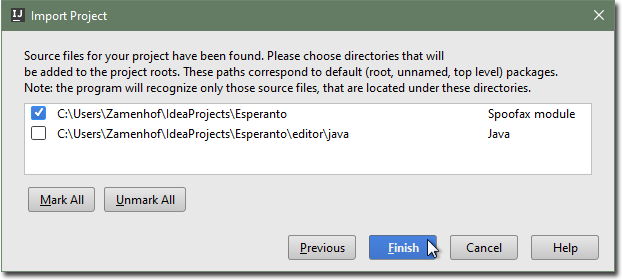 Check the project roots
Click Finish.
The imported Spoofax language specification project has a metaborg.yaml
file, which specifies the configuration and language dependencies of the
specification.